
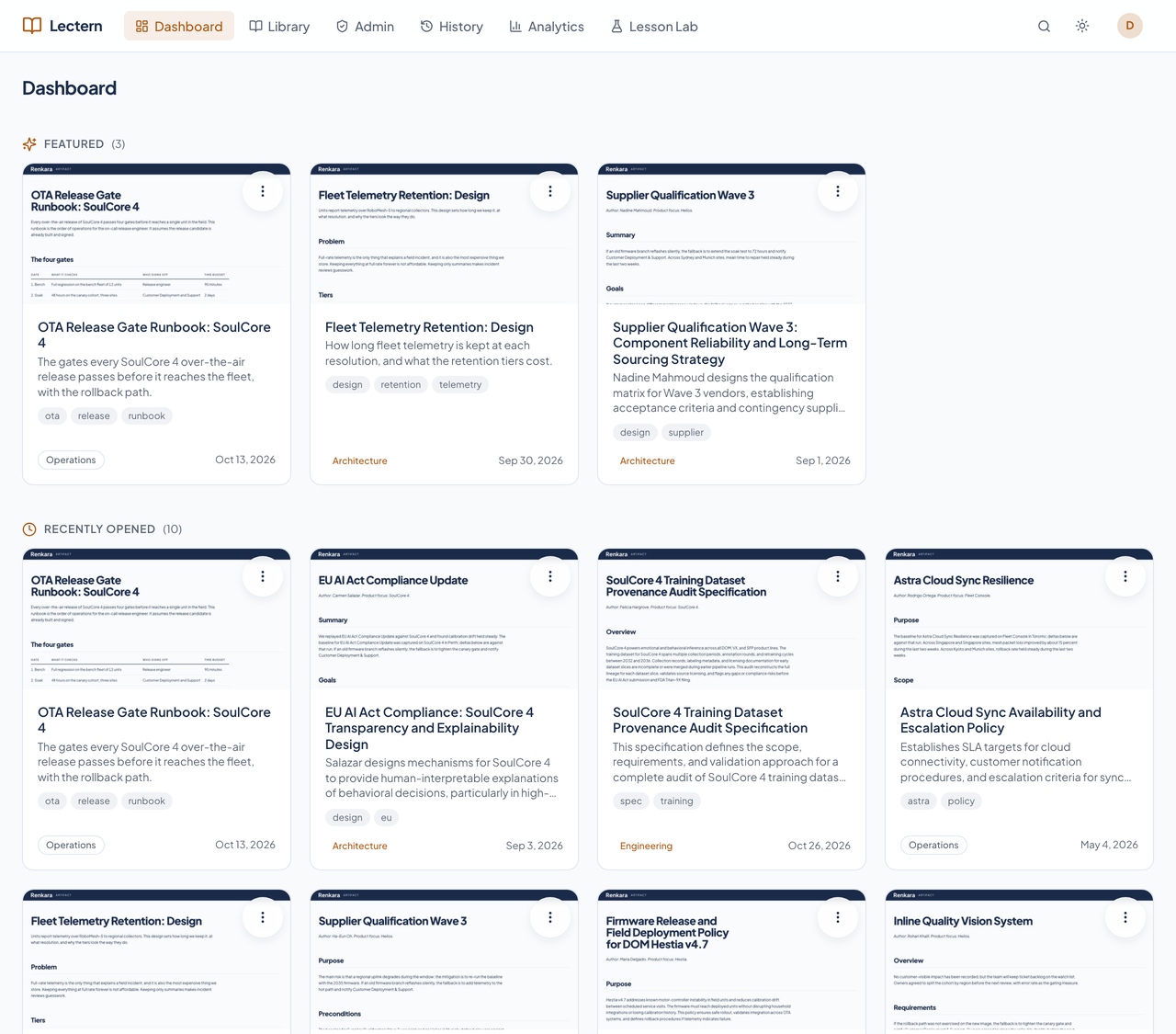
A dashboard, not a wall of cards
The first page shows documents the admins featured, your last ten opened, and anything assigned to you to read. The full catalog lives in the library.
Finished documents get emailed, pasted, and copied until nobody knows which version is real. Lectern is the one shelf: published once, never edited, every version kept, every read on the record.
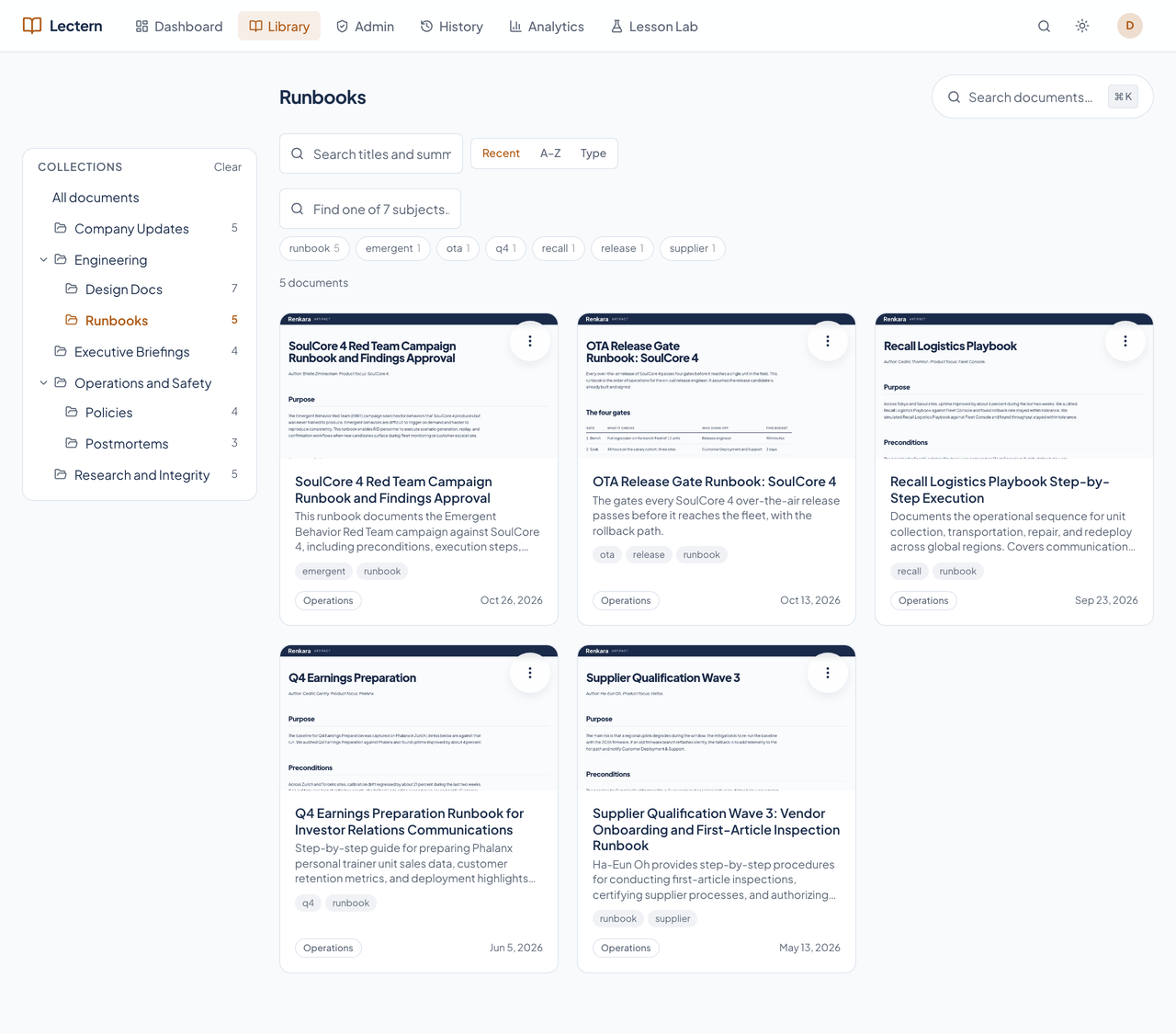
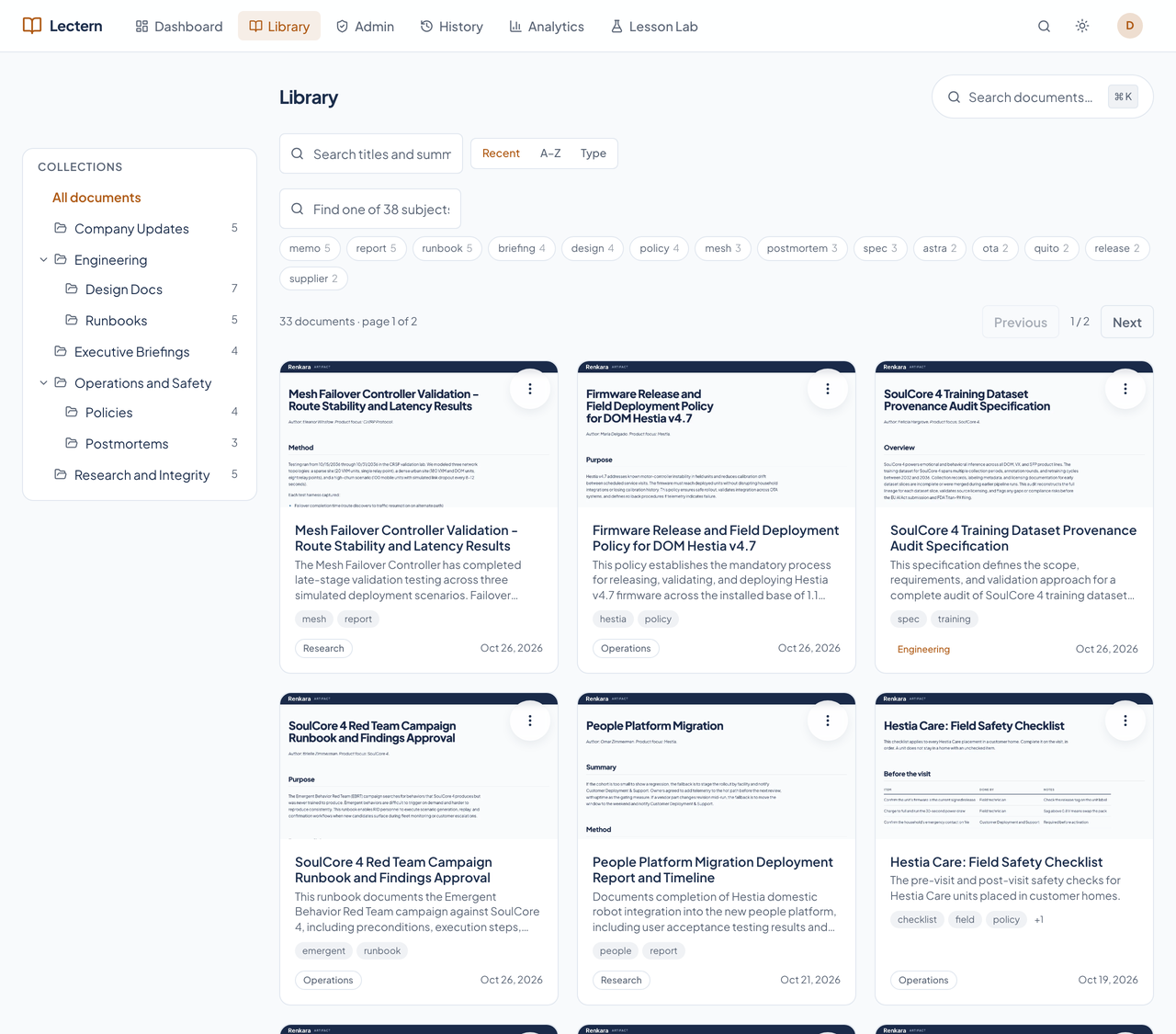
Documents sit on shelves: a tree of collections, subject filters drawn from the documents' own tags, and a card for each one with a thumbnail of the real page. Search reads the full text, and Command-K jumps straight to a title.
Every card has one menu. Readers can tidy their own Recently opened list; admins can assign the document to readers or feature it.
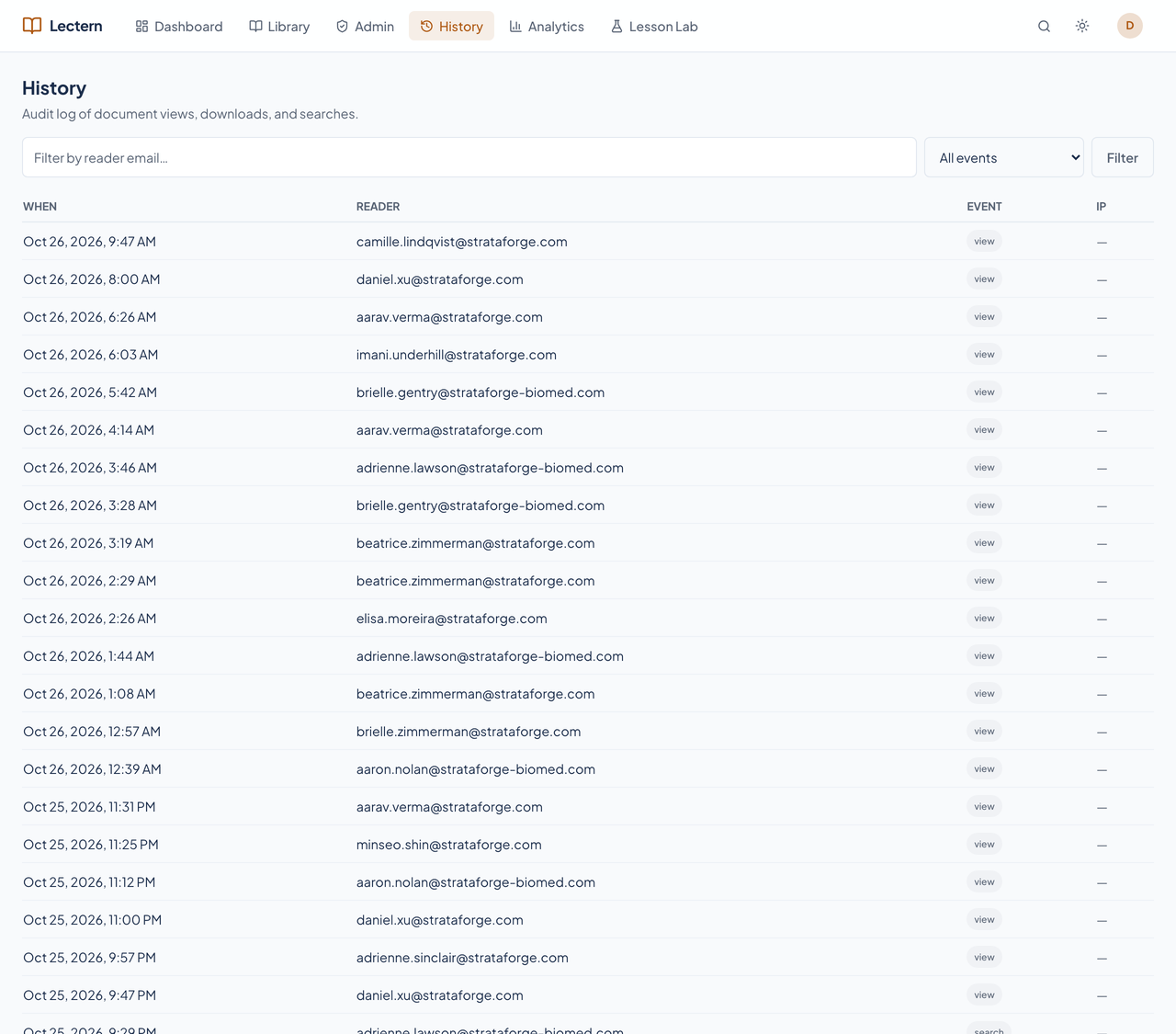
A collection can be scoped to a named audience, and the catalog, search, and the assistant all obey the same rule. Every view, download, and search is an attributed event that admins can read back.
The audit table is append-only at the database level, so the history cannot be quietly edited.
For documents that have a presentation, the viewer shows a Play button. It opens a full-screen, narrated slideshow of the document's summary, in the web app and in the native app. The presentations are generated on the workstation, so this site describes the Player in words and shows no capture of it.
Lectern keeps finished HTML artifacts, Markdown documents, and PDFs in a private, encrypted store and serves them through an authenticated API to Renkara accounts. Publishing happens from the founder's workstation, through a command-line tool or MCP tools. In the reader, nobody can edit, upload, or annotate a document. These are the jobs it does today.
The first page shows documents the admins featured, your last ten opened, and anything assigned to you to read. The full catalog lives in the library.
A nested collection tree, subject facets drawn from the documents' own tags, and a sort by recent, A to Z, or type. Filtering and paging happen on the server, so it stays fast as the library grows.
Full-text search across every visible document's title, tags, and extracted body text, plus a keyboard-driven palette on Command-K.
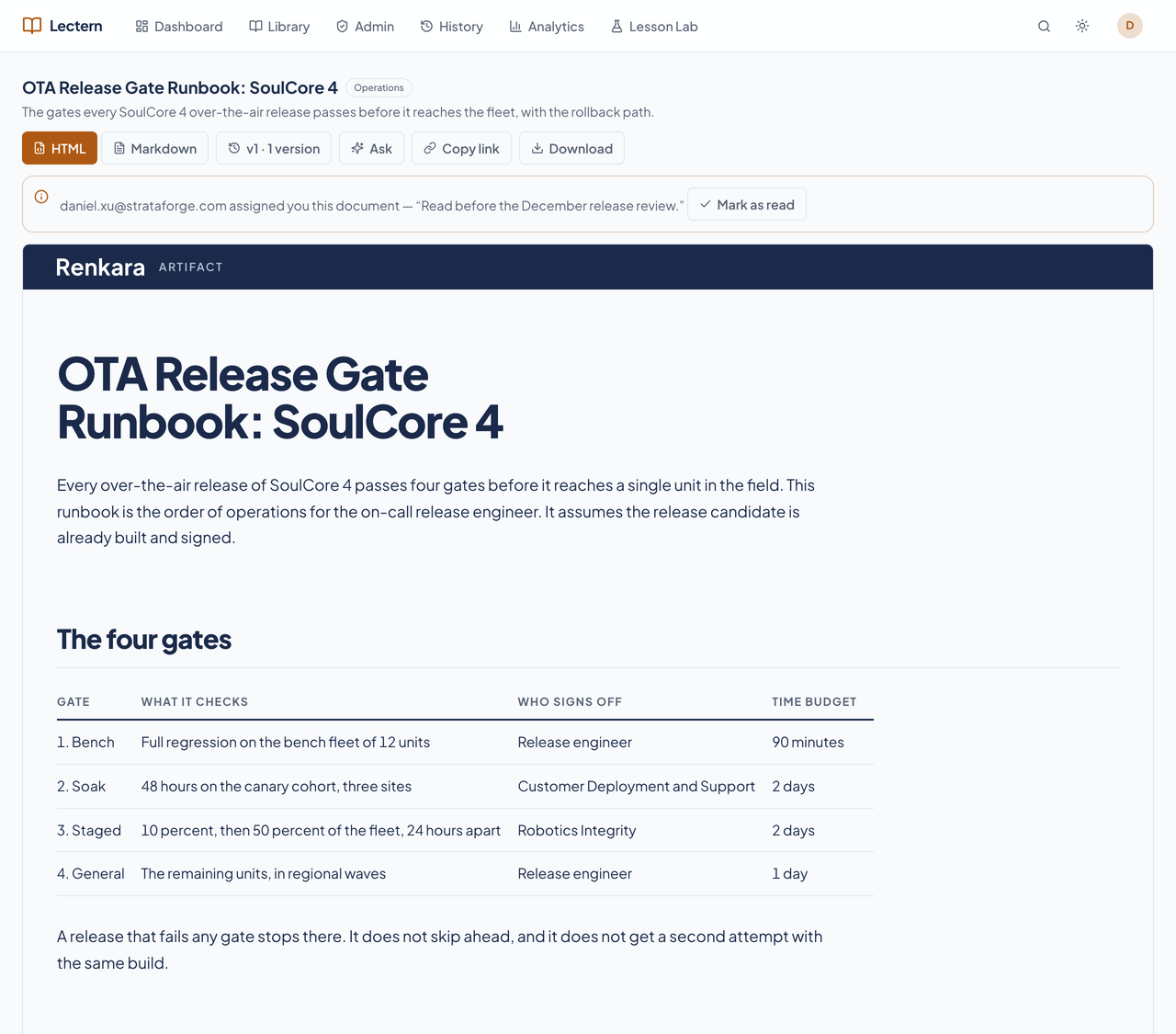
Every document has a /d/ link that survives a rename, because old slugs are kept as aliases. Open the rendered page or the Markdown, and a PDF where one was published, and download the original.
There is no edit, upload, or annotate control and no endpoint that mutates content on the reader surface. Readers keep only their own state: mark an assignment read, remove a card from Recently opened, and keep chat threads.
Storage keys come from each version's own SHA-256 hash, so a version is never overwritten and a database trigger blocks deleting one. A document is retired, never deleted, and a retire, restore, or rollback is non-destructive.
HTML artifacts and PDFs are served exactly as published and verified against their hash. Markdown is rendered once into the Renkara Document template: inlined styles, highlighted code, embedded images, and Mermaid diagrams, with no external requests at view time.
Every document renders in an iframe built from a Blob URL with scripts allowed and no same-origin access, so a document's own scripts can never reach the reader's token, cookies, or the page around it.
A document, or a whole collection subtree, can be scoped to a named audience. One visibility rule governs the catalog, search, the assistant, and content fetches, so there is no second path for a restriction to leak through.
Every view, download, search, and share link is an attributed, append-only event. Admins read it on the History page: who opened what, and when.
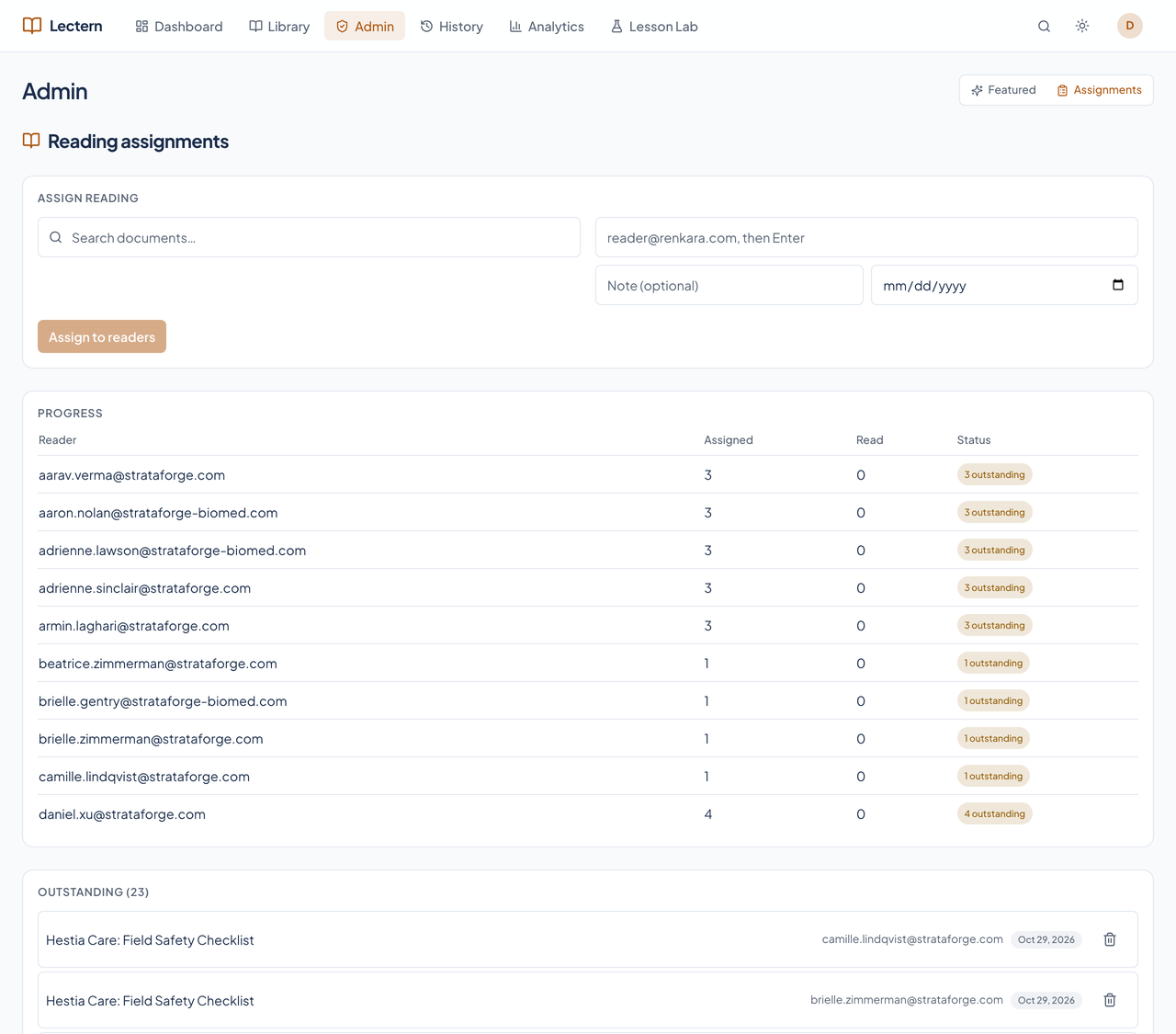
Admins pick and order the featured documents, and assign documents to readers with a note and an optional due date. A progress table shows who has read what.
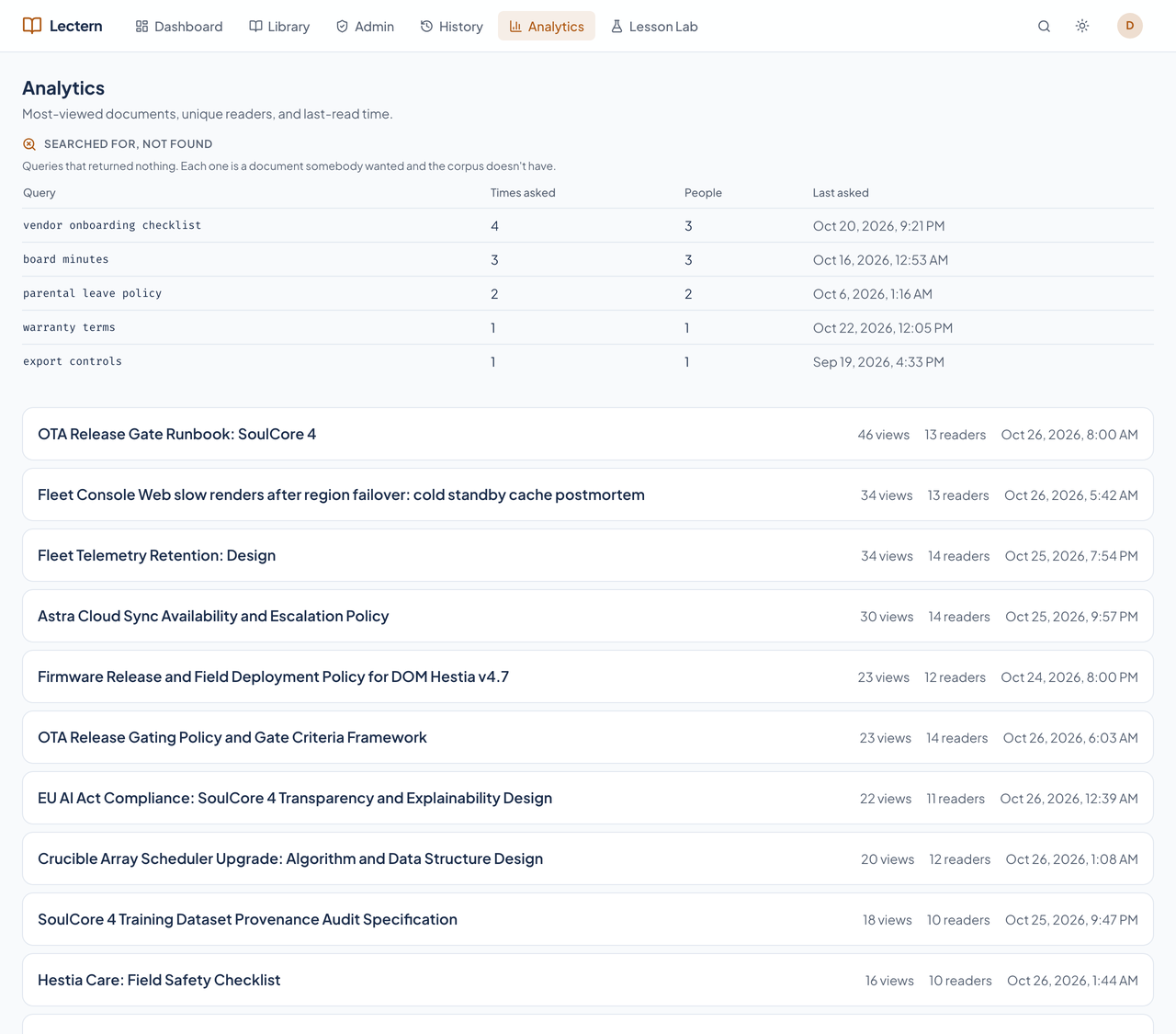
Views, unique readers, and last-read time for every document, plus the searches that returned nothing, so you can see what the library is missing.
The publishing tool and the MCP server are thin wrappers over the same admin API, so the two can never drift apart. Fifty-four MCP tools cover reading, publishing, collections, audiences, audit, and integrity.
Re-running a sync over an unchanged source reports every document unchanged and creates no new version. A scheduled job keeps the production library current, and it only adds and updates; it never retires a document.
Every card carries a picture of its document in light and dark, captured on the workstation in headless Chromium when the document is published.
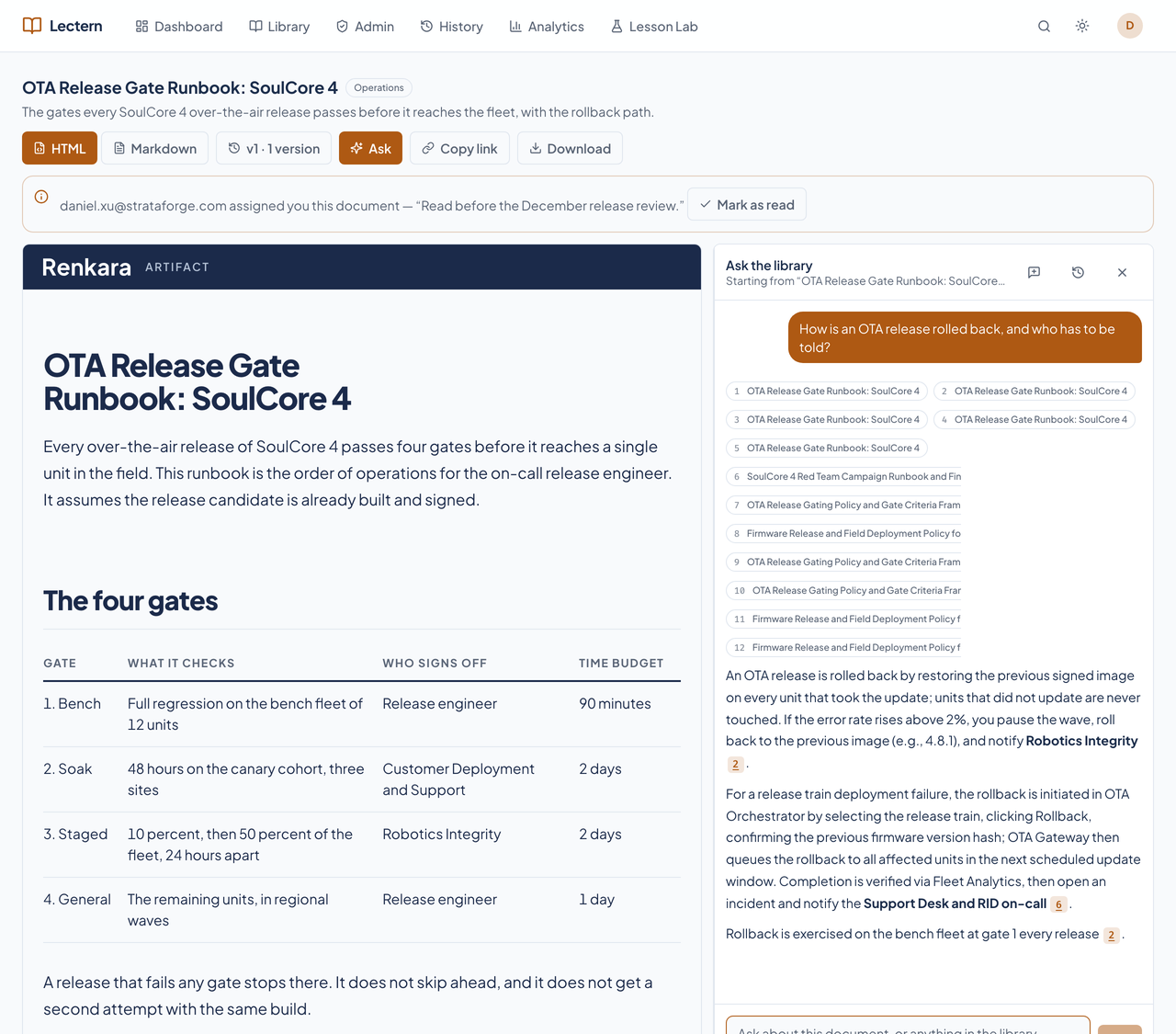
An assistant on the viewer answers questions from the whole library you can see, cites the passages it used, and keeps your conversations private to you.
Real captures of the running tool, with fictional StrataForge Robotics data. They follow your theme.
From the workstation, the command-line tool or an MCP tool renders the document, hashes it, and stores it in a private, encrypted bucket. This is the only way content enters.
A signed-in reader opens the dashboard, library, or search. Every list respects audience restrictions, and the document streams through the API into the sandboxed viewer.
On any document, the reader can ask the assistant a question. It searches the whole visible library, answers, and cites its sources.
Every view, download, and search is recorded. Admins see the history and the analytics, and can assign reading and feature documents.
Lectern's app is built on the Renkara design system, and on 10/29/2026 we ran axe-core over its main screens in light and dark at phone and desktop widths. That scan found three kinds of serious problem, listed below as known gaps, and the rest passed. Here is what the product supports today and what we have actually checked. We do not claim a WCAG conformance level for the product.
Partly supported
Document cards are focusable links that open on Enter or Space, and Command-K opens a command palette. The scan found four scrolling tables (History, Assignments, Analytics) that a keyboard cannot scroll at phone width.
Partly supported
axe-core checks names, roles, labels, and structure. It found one serious problem, a card whose accessible name is shorter than its visible text, and no other serious name or structure violation. Lectern has not been tested with a screen reader.
Partly supported
Text and controls pass axe-core's contrast rule in the dark theme and almost everywhere in the light theme. The failures are the tinted badges (the accent and warning tints) in the light theme at desktop width.
Partly supported
The library and the Document Player check the reduced-motion setting in code. No test covers it yet.
Not yet tested
Resizing text to 200 percent has not been tested.
Supported
The app fits a 375 by 667 phone screen with no sideways scrolling, the collection tree becomes a drawer, and the assistant's controls are at least 44 by 44 pixels.
| Backend |
|
|---|---|
| Reader |
|
| Security |
|
| Agents |
|
| Stands in for | Finished documents emailed as attachments, Shared drives of exported PDFs, Pasting HTML artifacts into chat |
Codex is where documents are written and edited. Lectern is where the finished ones are read.
Lectern appears as a tile in the Aerie launcher.
Relays Lectern's MCP tools to agents on every machine.
Receives Lectern's logs, traces, and metrics when it is configured to ship them.
A failed corpus sync posts to Chirp so someone notices.
Agents publish, organize, search, and audit the library through Lectern's MCP tools, all behind the admin key. The reader app itself has no equivalent write path.
publish_documentpublish_batchsync_sourcesync_documentationrender_previewset_document_metadatamove_documentretire_documentrestore_documentrollback_documentlist_document_versionsget_document_versionlist_documentsget_documentget_document_contentget_document_renditionresolve_documentsearch_documentssearch_corpusask_corpuslist_collectionsget_collectioncreate_collectionupdate_collectiondelete_collectionset_collection_audiencecreate_audienceupdate_audiencedelete_audienceadd_audience_memberremove_audience_memberset_document_audiencelist_audienceslist_readersset_featuredfeature_documentunfeature_documentlist_featuredassign_readingunassign_readinglist_assignmentsget_assignment_summarymint_share_linkget_access_logget_document_analyticsget_search_missesverify_integrityget_storage_statsget_sync_statusreindex_searchreindex_chat_corpusget_chat_index_statuscheck_service_healthget_diagnosticsA native SwiftUI app with the dashboard, library, search, viewer, the assistant, the admin pages, and the Document Player. Release builds are prepared for TestFlight; see the Apps page.
No. There is no edit, upload, or annotate control in the reader, and no reader endpoint changes content. Documents enter only from the publishing workstation, as new versions.
It leaves the catalog and search, and its versions stay stored. An admin can restore it or roll the current version back to an earlier one. Nothing is hard-deleted.
No. The assistant retrieves only from documents you can see, using the same visibility rule as the catalog, applied in the database query rather than after the fact.
No. Every screenshot is a capture of the running app against fictional StrataForge Robotics data. The pages in the thumbnails wear Lectern's own document template.
No. Every reader is a signed-in Renkara account, and there are no local accounts. Write to contact@renkara.com with questions.
Write to Renkara Media Group and a person will answer.