Tour

Every screen, in light and dark.

Each image below is a real capture of Lectern running locally against fictional data for StrataForge Robotics, a made-up company. Switch the site theme and the screenshots follow.

Dashboard

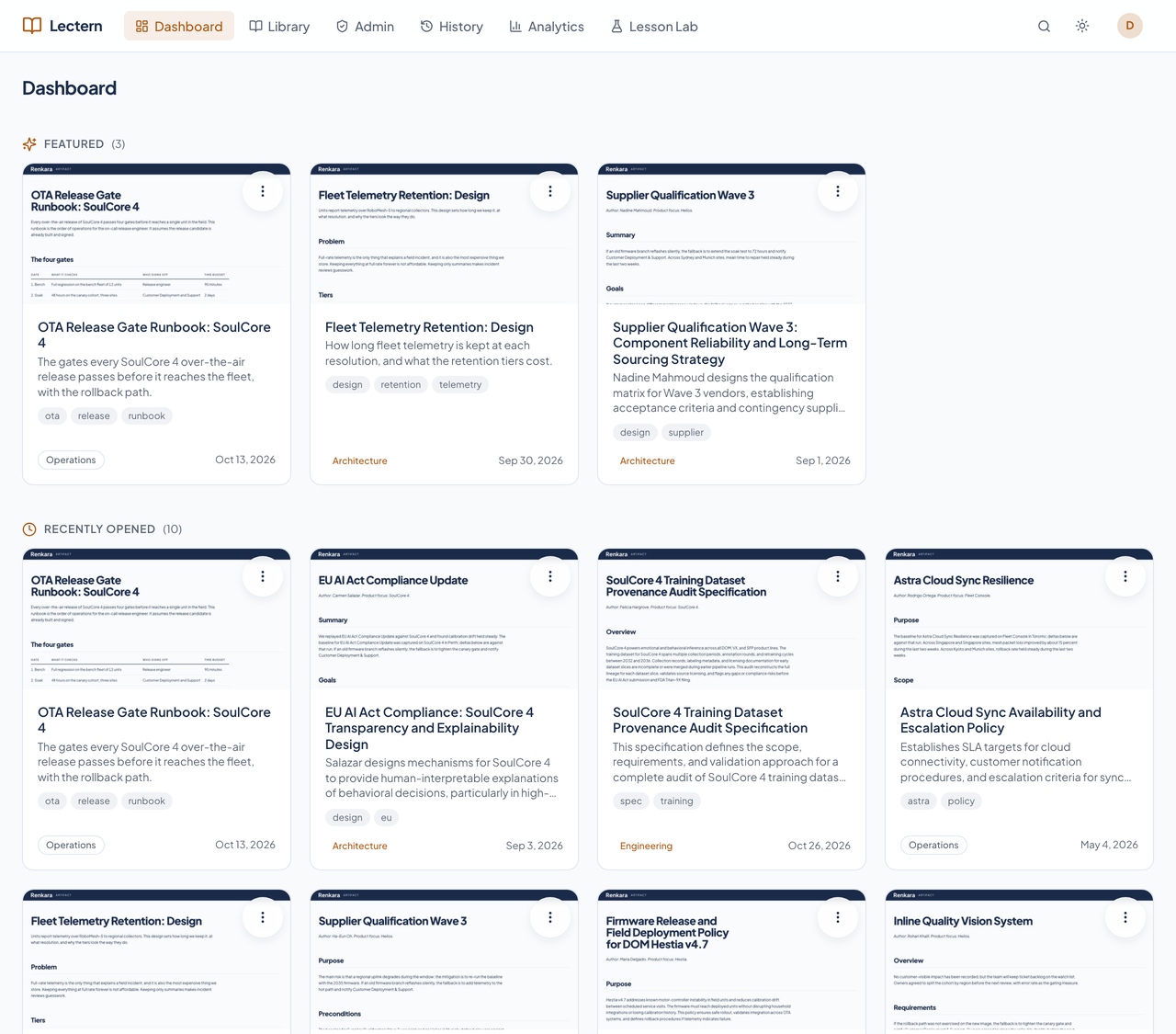
Lectern's dashboard with Featured and Recently opened rows of document cards.Lectern's dashboard with Featured and Recently opened rows of document cards.
Featured documents, your last ten opened, and anything assigned to you. Enlarge to see the full screen.

Library

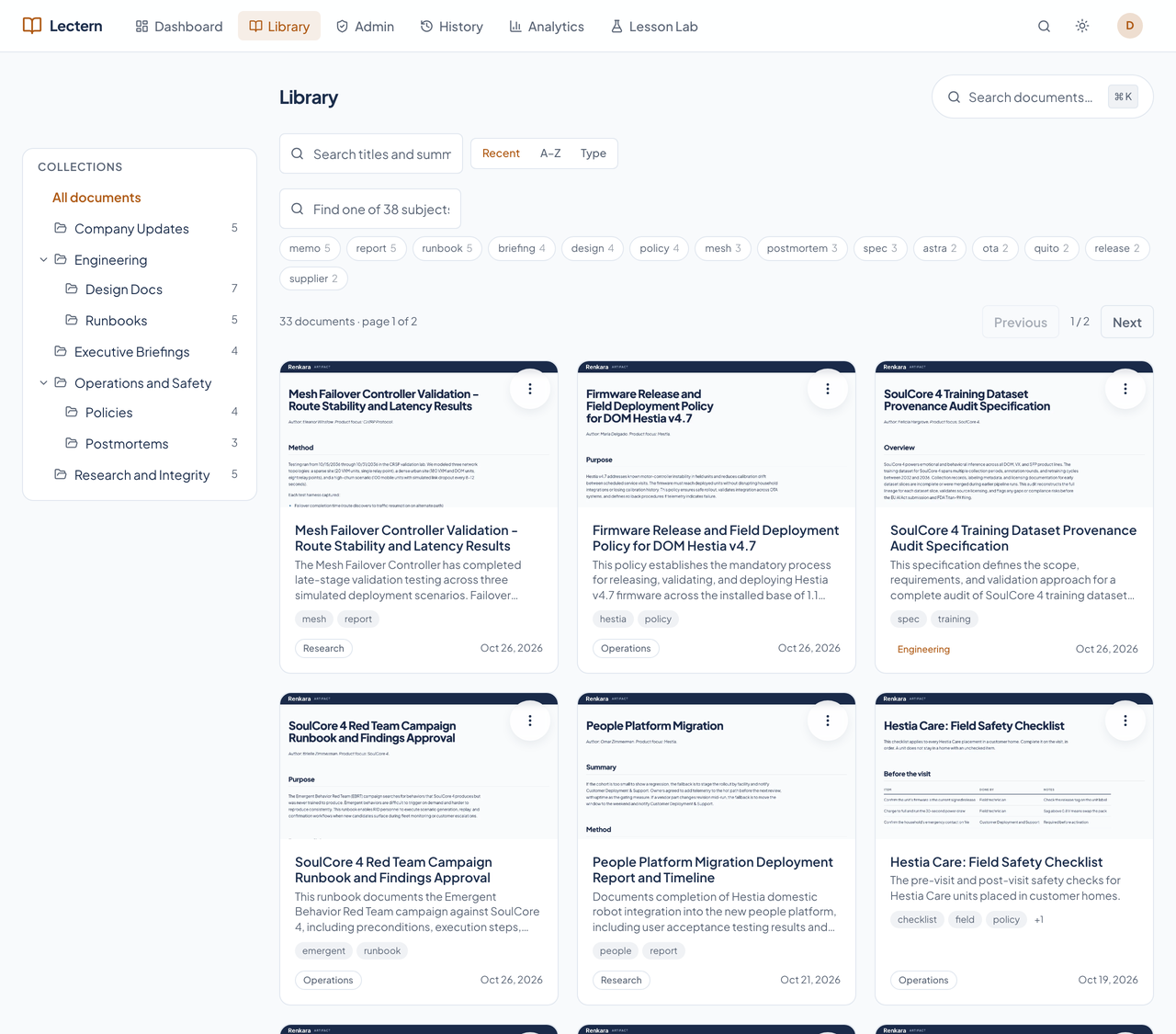
Lectern's library with a collection tree, subject chips, and a grid of document cards.Lectern's library with a collection tree, subject chips, and a grid of document cards.
The collection tree, subject filters, and a card with a thumbnail for every document. Enlarge to see the full screen.

A collection

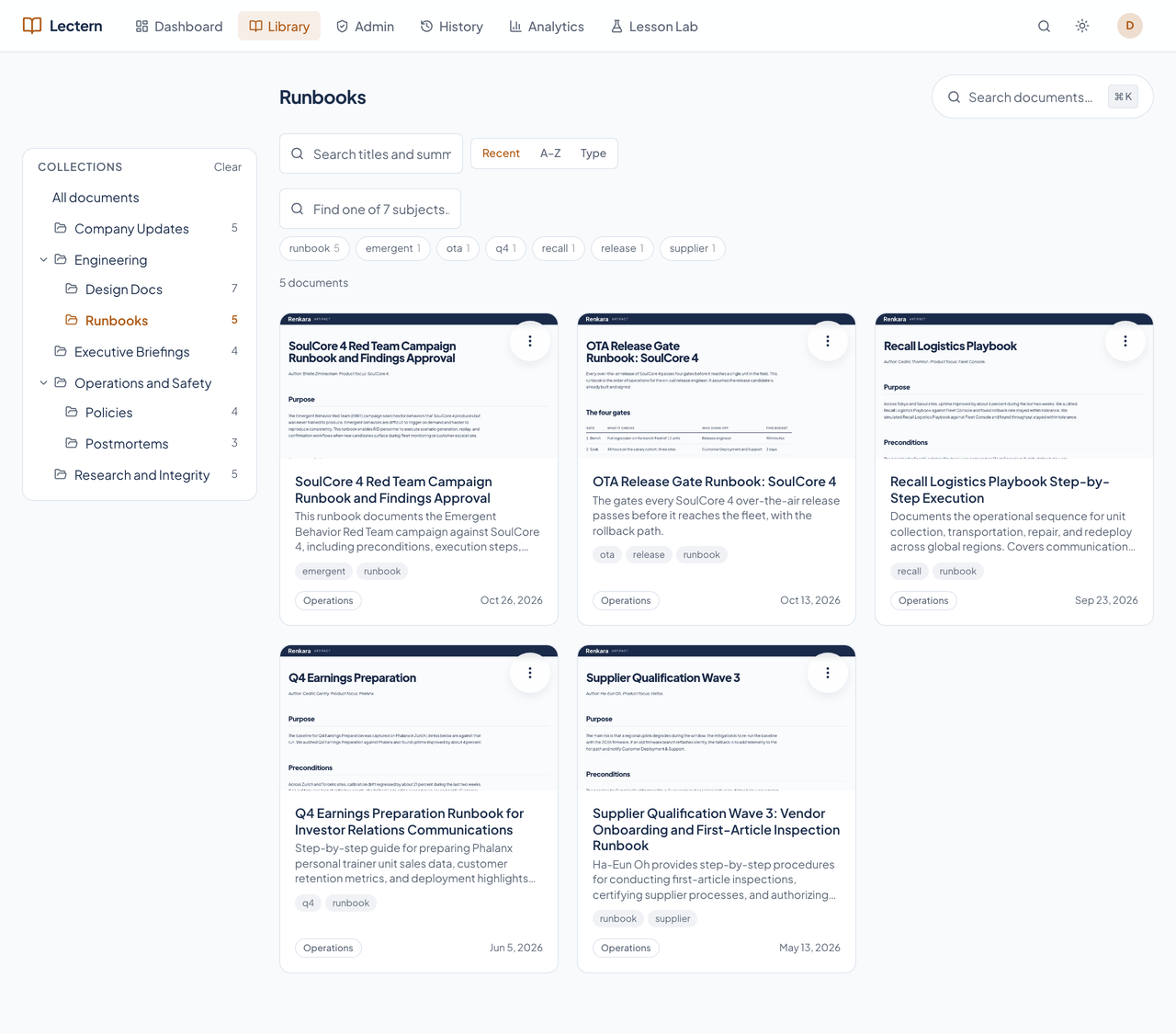
Lectern's library filtered to the Runbooks collection.Lectern's library filtered to the Runbooks collection.
One shelf opened from the tree: every runbook, with a picture of each. Enlarge to see the full screen.

The card menu

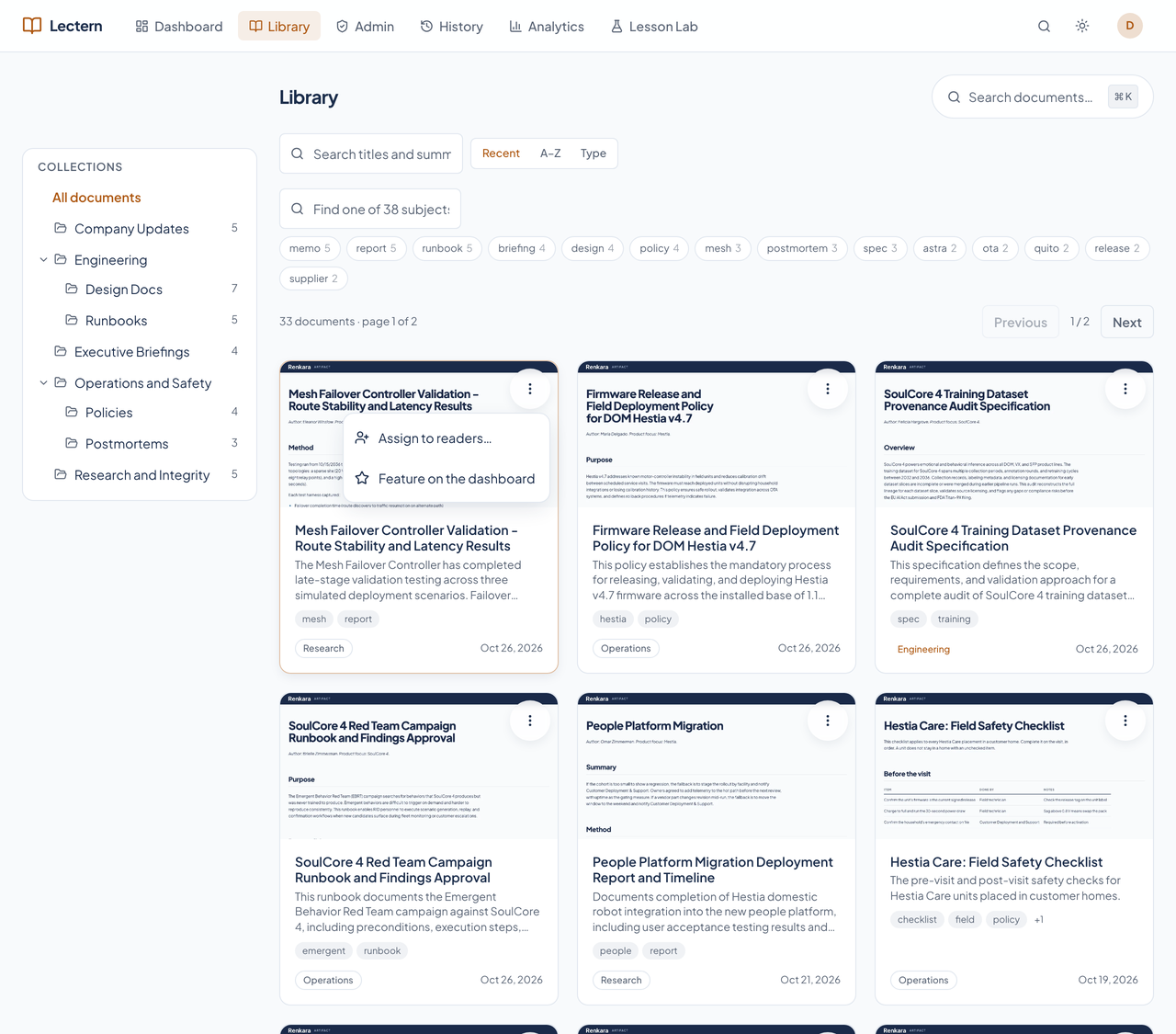
Lectern's library with a document card's menu open, offering Assign to readers and Feature on the dashboard.Lectern's library with a document card's menu open, offering Assign to readers and Feature on the dashboard.
Every card has one menu. For an admin it offers Assign to readers and Feature on the dashboard. Enlarge to see the full screen.

Command palette

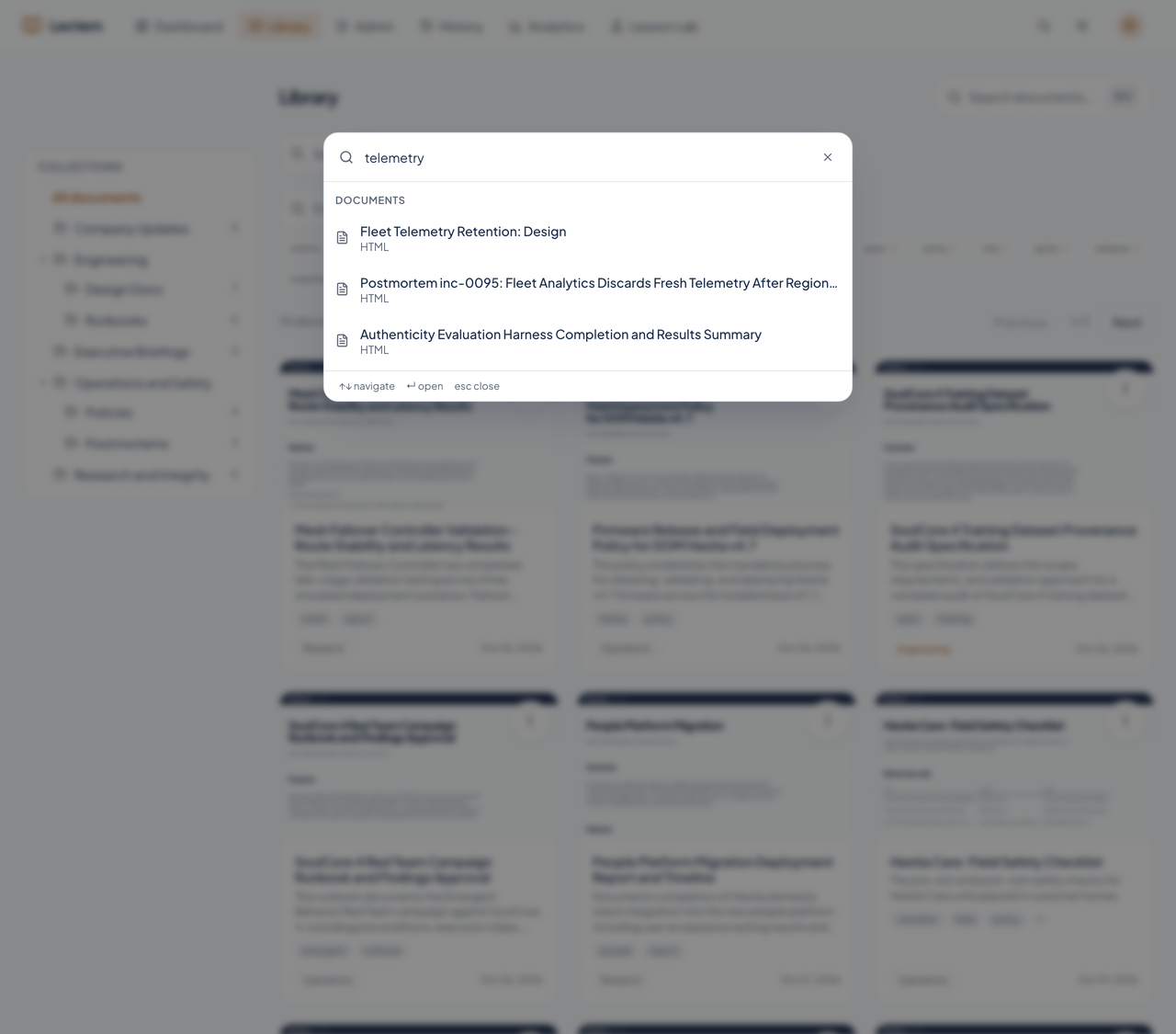
Lectern's command palette open over the library with matching documents.Lectern's command palette open over the library with matching documents.
Command-K jumps to a document by name from anywhere. Enlarge to see the full screen.

The viewer

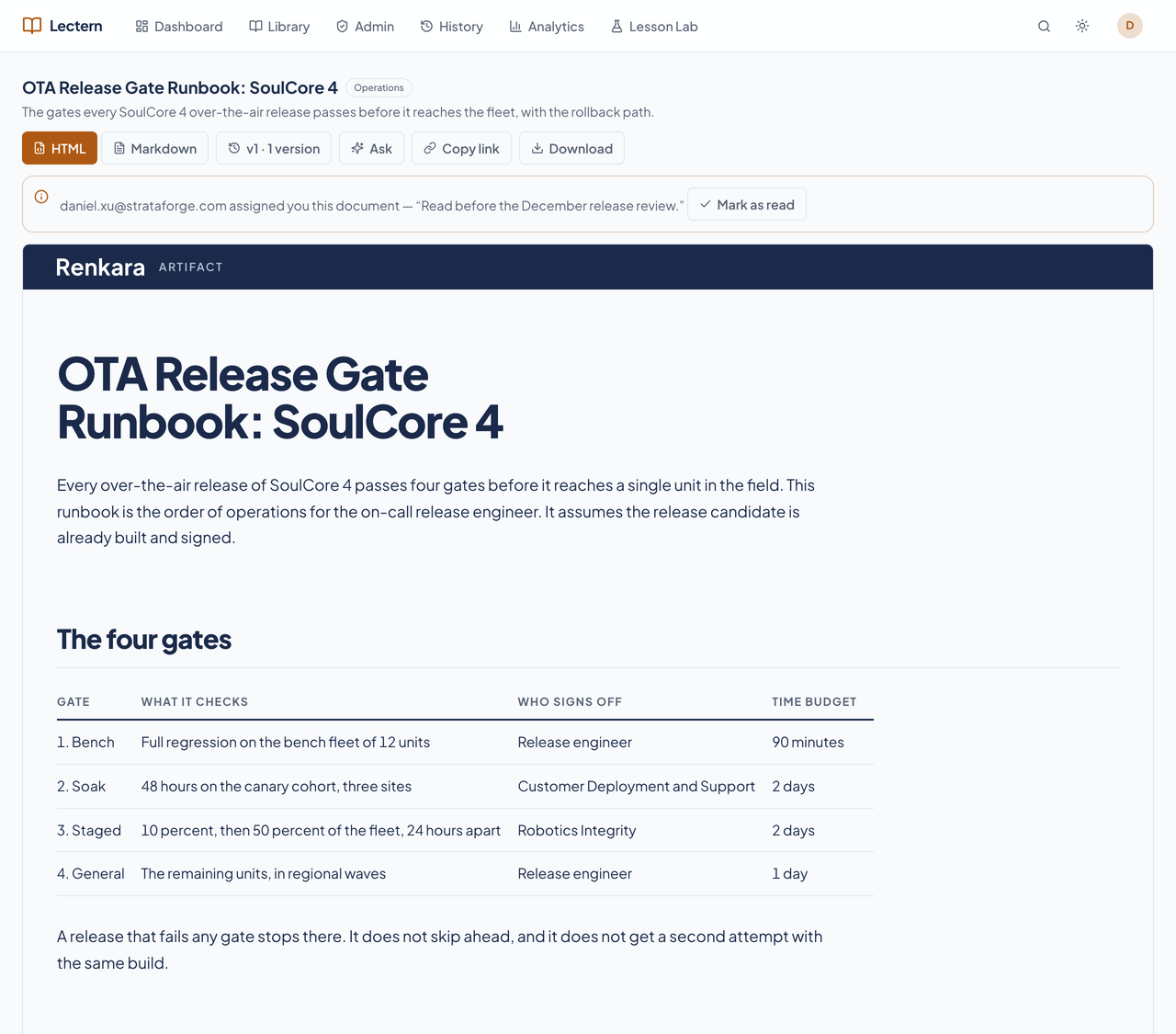
Lectern's document viewer showing a runbook and its toolbar.Lectern's document viewer showing a runbook and its toolbar.
A document as published, with its table rendered, and version, Ask, link, and download controls. Enlarge to see the full screen.

Ask the library

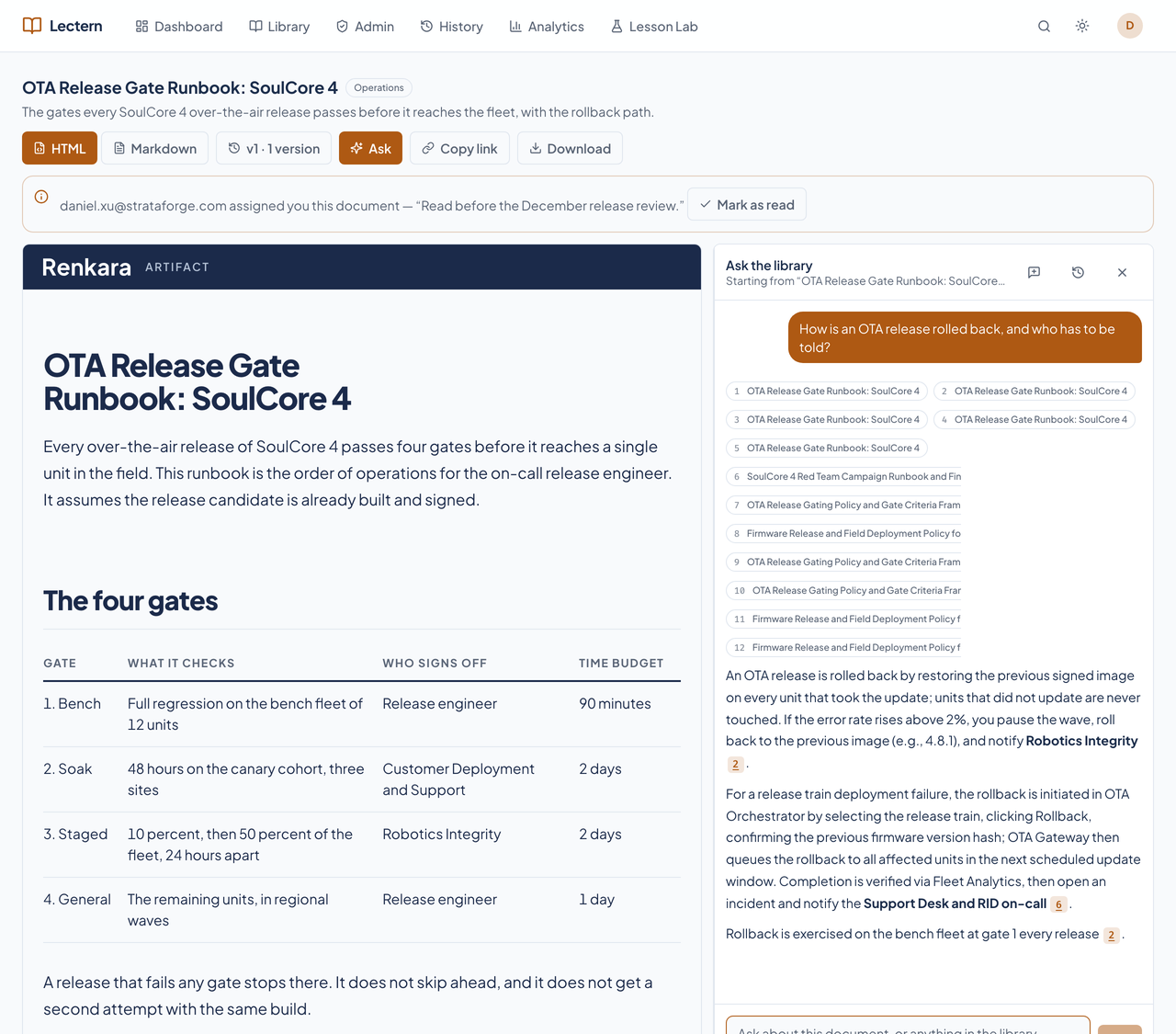
Lectern's viewer with the Ask the library panel open and a cited answer.Lectern's viewer with the Ask the library panel open and a cited answer.
A cited answer beside the document, with numbered sources. Enlarge to see the full screen.

Assignments (admin)

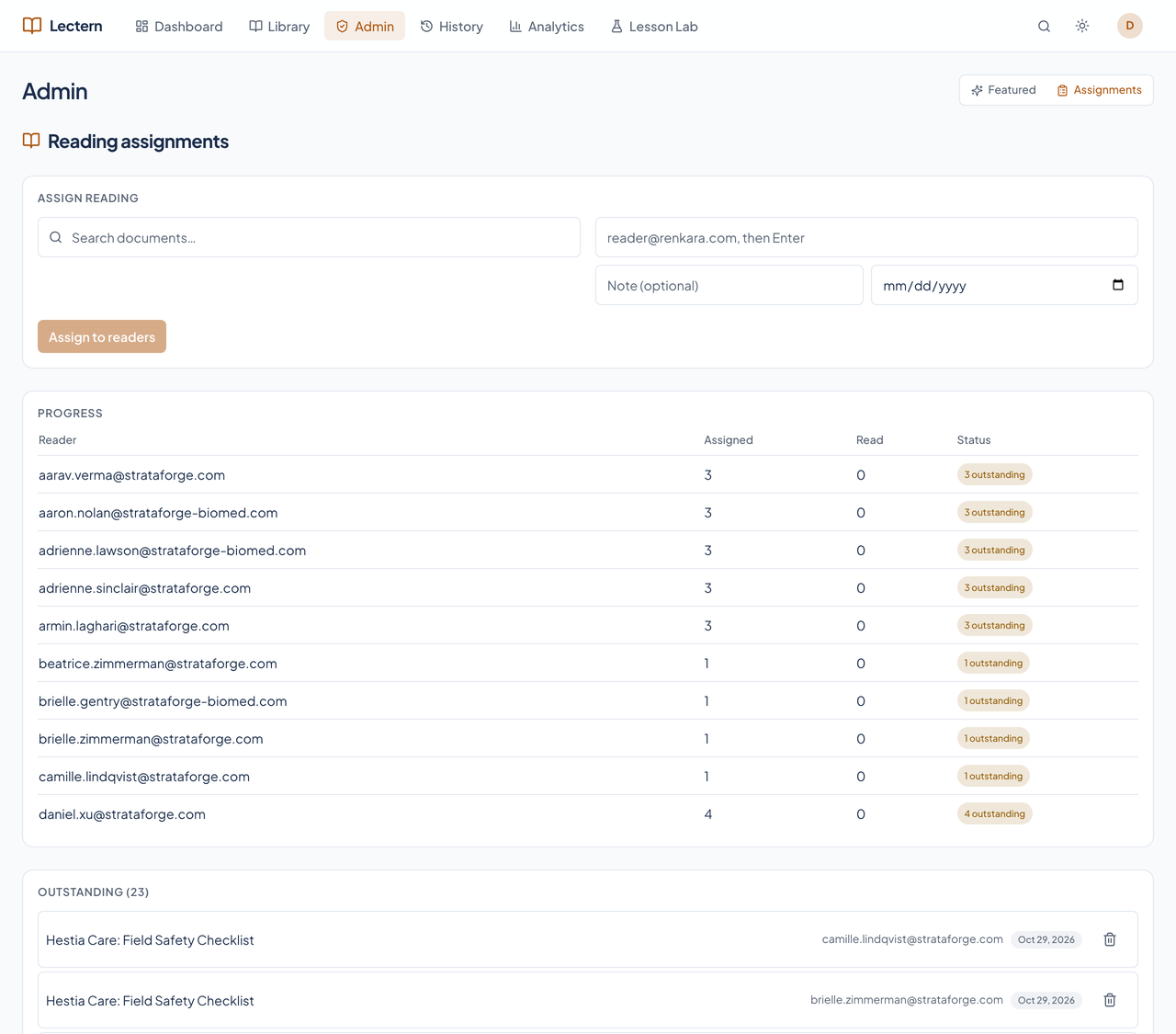
Lectern's Admin page on the Assignments tab with a progress table.Lectern's Admin page on the Assignments tab with a progress table.
Assign reading to readers, and see who has read it.

History (admin)

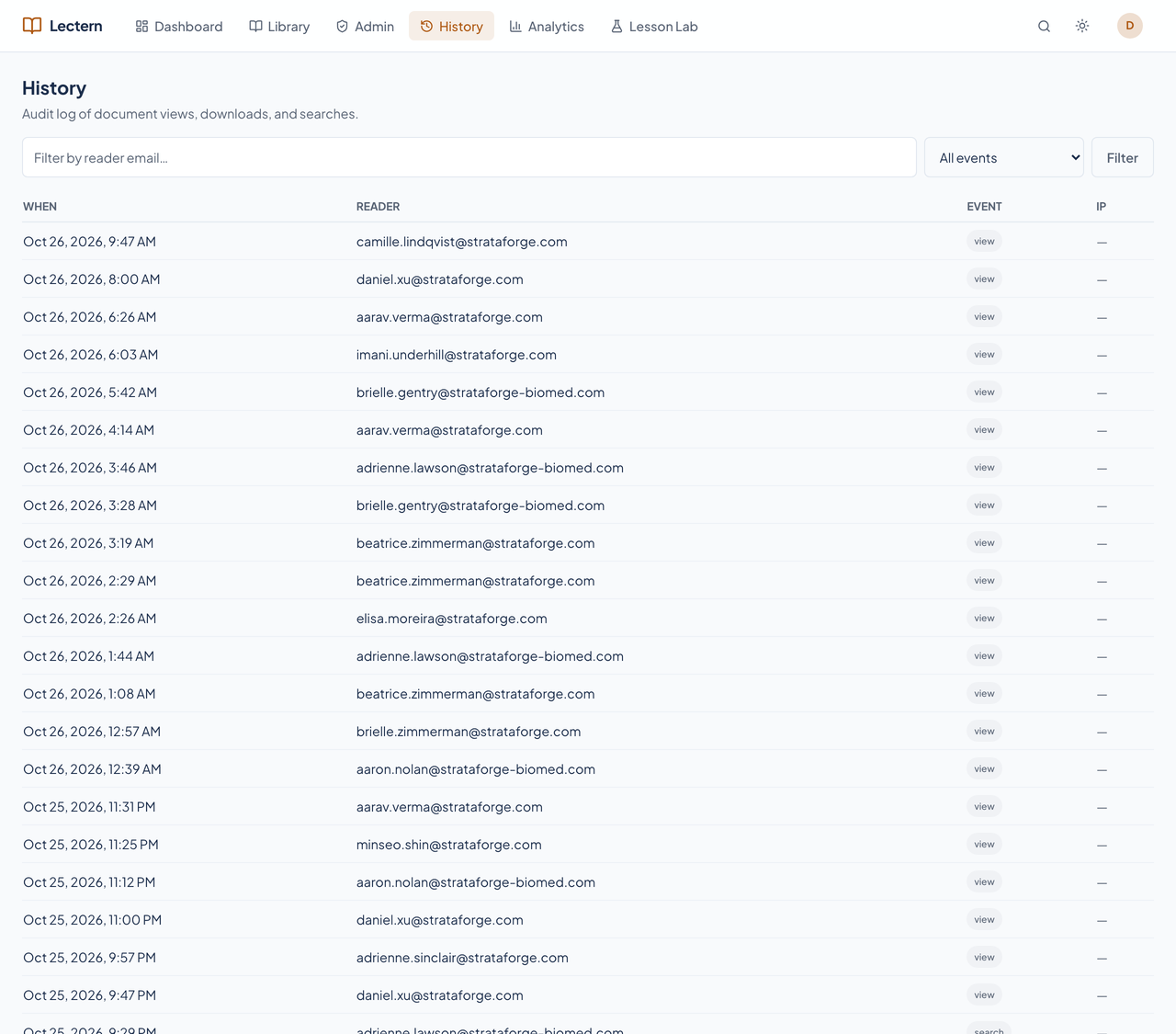
Lectern's History page with a table of audit events.Lectern's History page with a table of audit events.
The audit trail of views, downloads, and searches.

Analytics (admin)

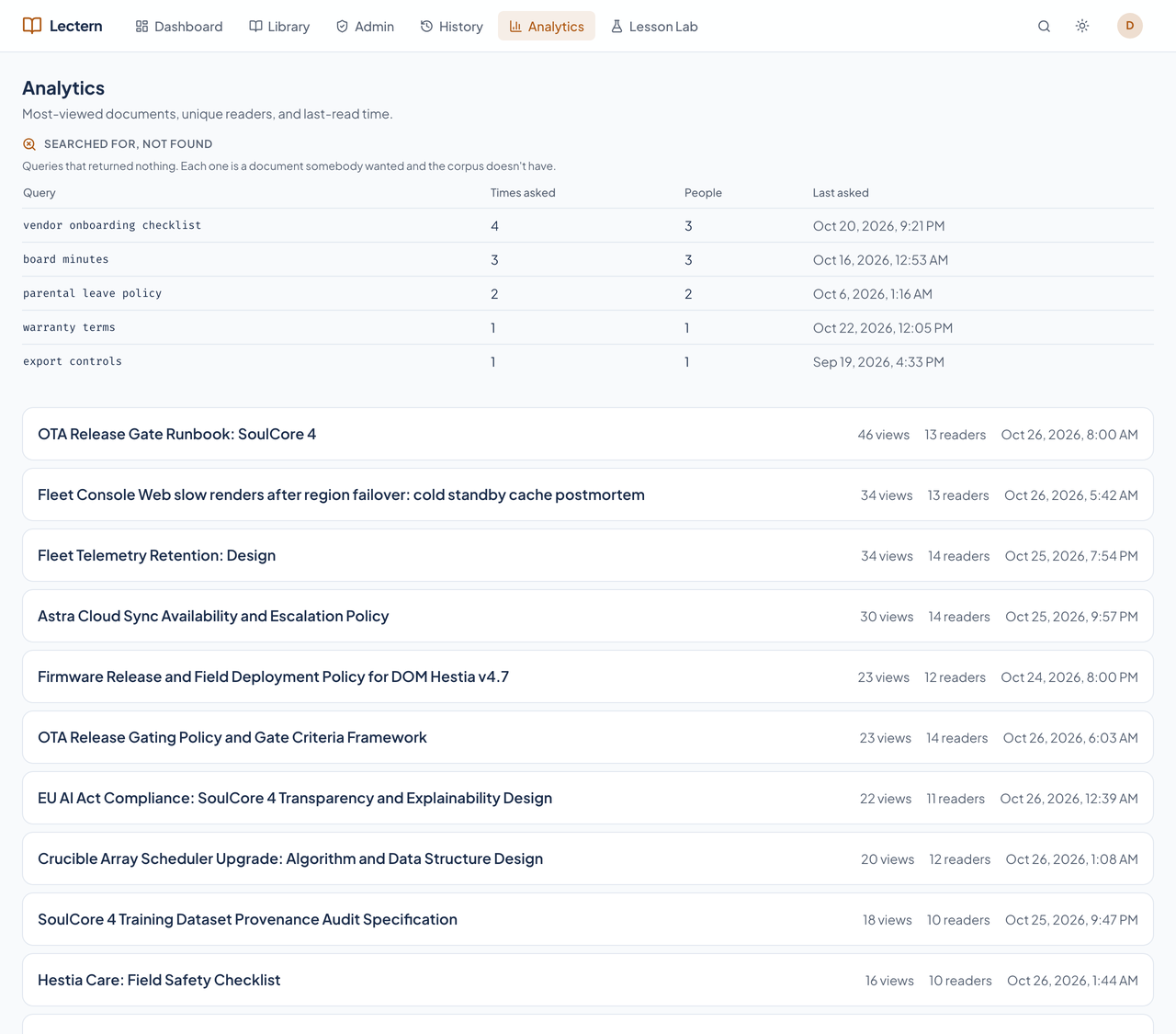
Lectern's Analytics page with search misses and most-viewed documents.Lectern's Analytics page with search misses and most-viewed documents.
Most-viewed documents, unique readers, and searches that found nothing.

The library on a phone

Lectern's library on a phone-sized screen with Browse and filter controls.Lectern's library on a phone-sized screen with Browse and filter controls.
The same library at 375 by 667 pixels, with the collection tree in a drawer.