
Access and audit
Who can open it, and who did.
Lectern holds finished documents, some of which are not for everyone. Every reader is a signed-in Renkara account, shelves can be restricted to named audiences, and every view is written down.
Who gets in
One identity, one visibility rule.
- Fleet accounts only
- Readers are authenticated through the fleet's identity provider. There are no Lectern accounts and no separate passwords. Tokens are RS256 JWTs checked against the provider's published keys, each key cached by its identifier.
- Audiences on documents and shelves
- A document, or a whole collection subtree, can be scoped to a named audience of people. Documents outside your audiences are not listed, not searchable, not fetchable, and not available to the assistant.
- One rule, everywhere
- The catalog, search, content fetches, and the assistant's retrieval all call the same visibility predicate. There is no second path for a restriction to leak through, and a permission matrix test exercises it.
- Admins are a short list
- Admin pages need an admin identity. The publishing API needs an admin key, compared in constant time, and fails closed when no key is set.
How it is protected
A private bucket, a sandbox, and no hard deletes.
| Layer | What it does |
|---|---|
| Storage | A private S3 bucket with Block Public Access, default KMS encryption, and no bucket policy. The service's own role is the only way in, and no presigned URL is ever given to a browser. |
| Viewer | Each document renders in a sandboxed iframe from a Blob URL, with scripts allowed and never same-origin access. |
| Registry | Versions, audit events, and assets are append-only at the database level: triggers block deletes, and updates are limited to a few permitted columns. |
| Integrity | An admin can re-hash the stored objects against the registry to catch drift. |
| Abuse | Rate limits sit on the content, search, and admin paths. |
The record
Every view, download, and search.
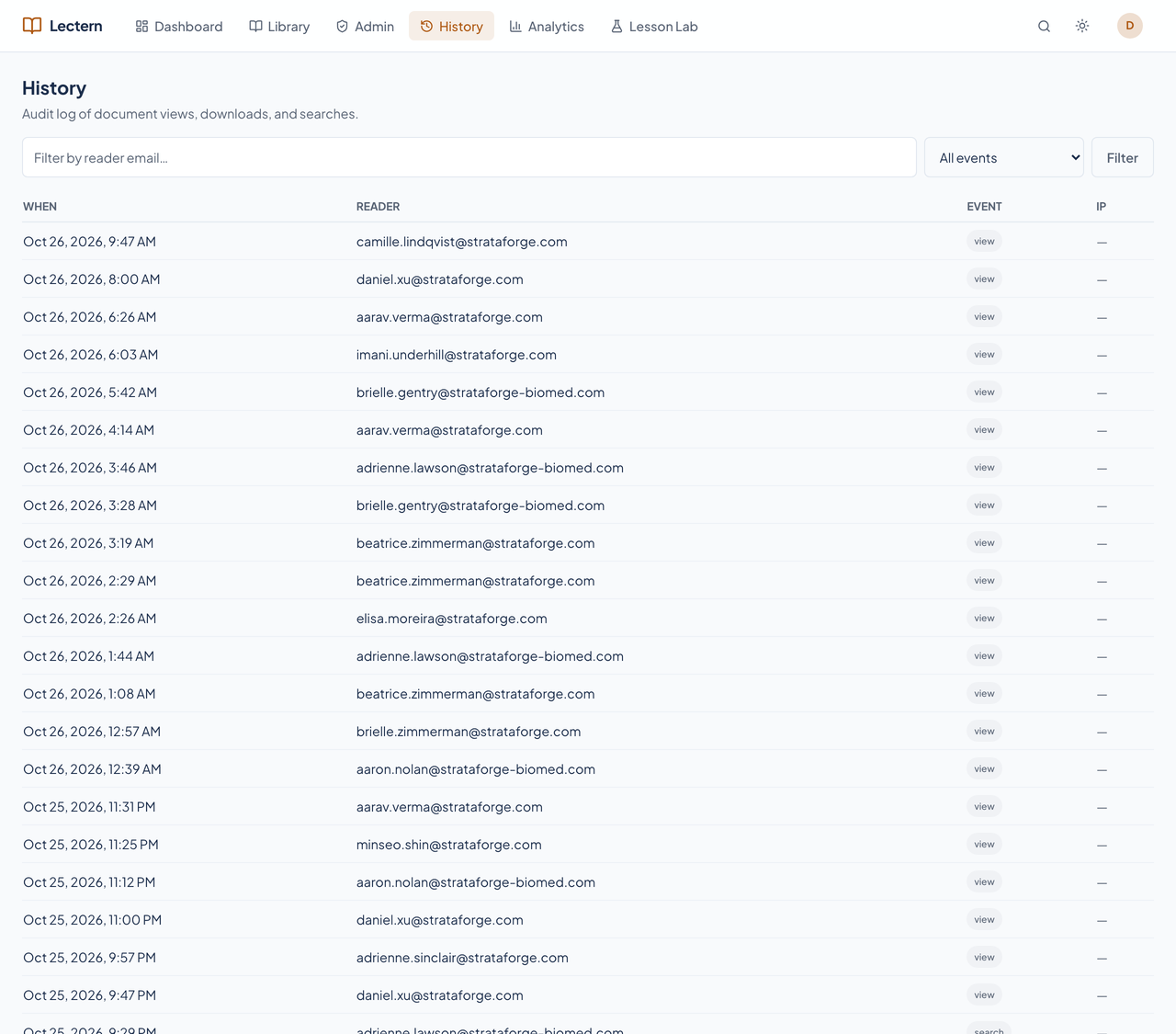
Each read writes one attributed event: who, which document, which version, and when. The History page lists them with filters for reader and event, and the same query serves the command-line tool and the MCP tools, so the browser and the machine never show different numbers.
Search-miss radar
What people looked for and did not find.
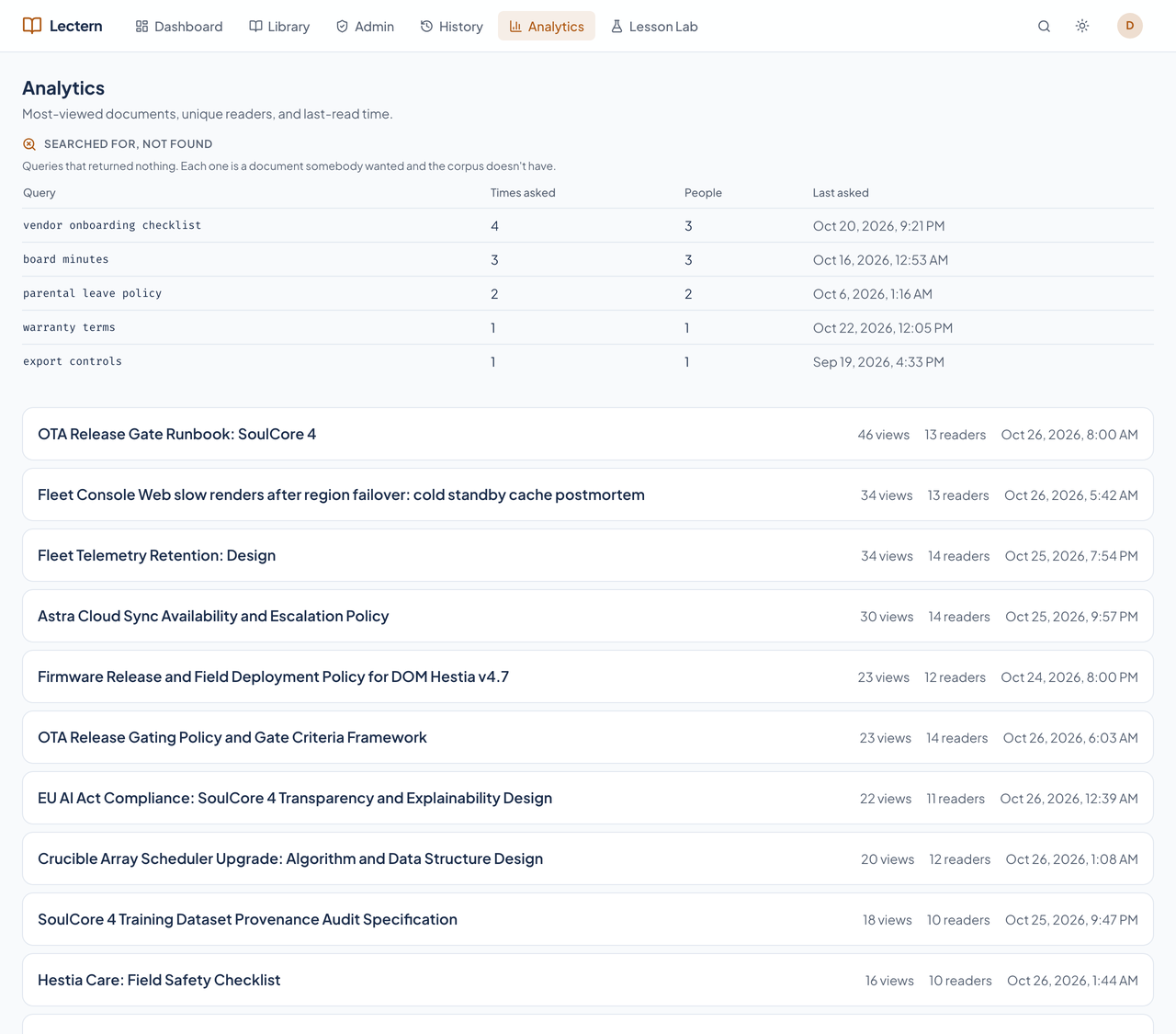
Every search records its text and how many results it returned. The Analytics page lists the searches that found nothing, with how many times and by how many people, so the next document to write is the one somebody already wanted.